
Switching Between Your Client Portals
Flying Point Advisors maintains separate client portals for your personal and business tax returns. This keeps your personal and business documents organized and ensures everything goes to the right place the right place. You can access all of your portals with a single login by switching between them. S
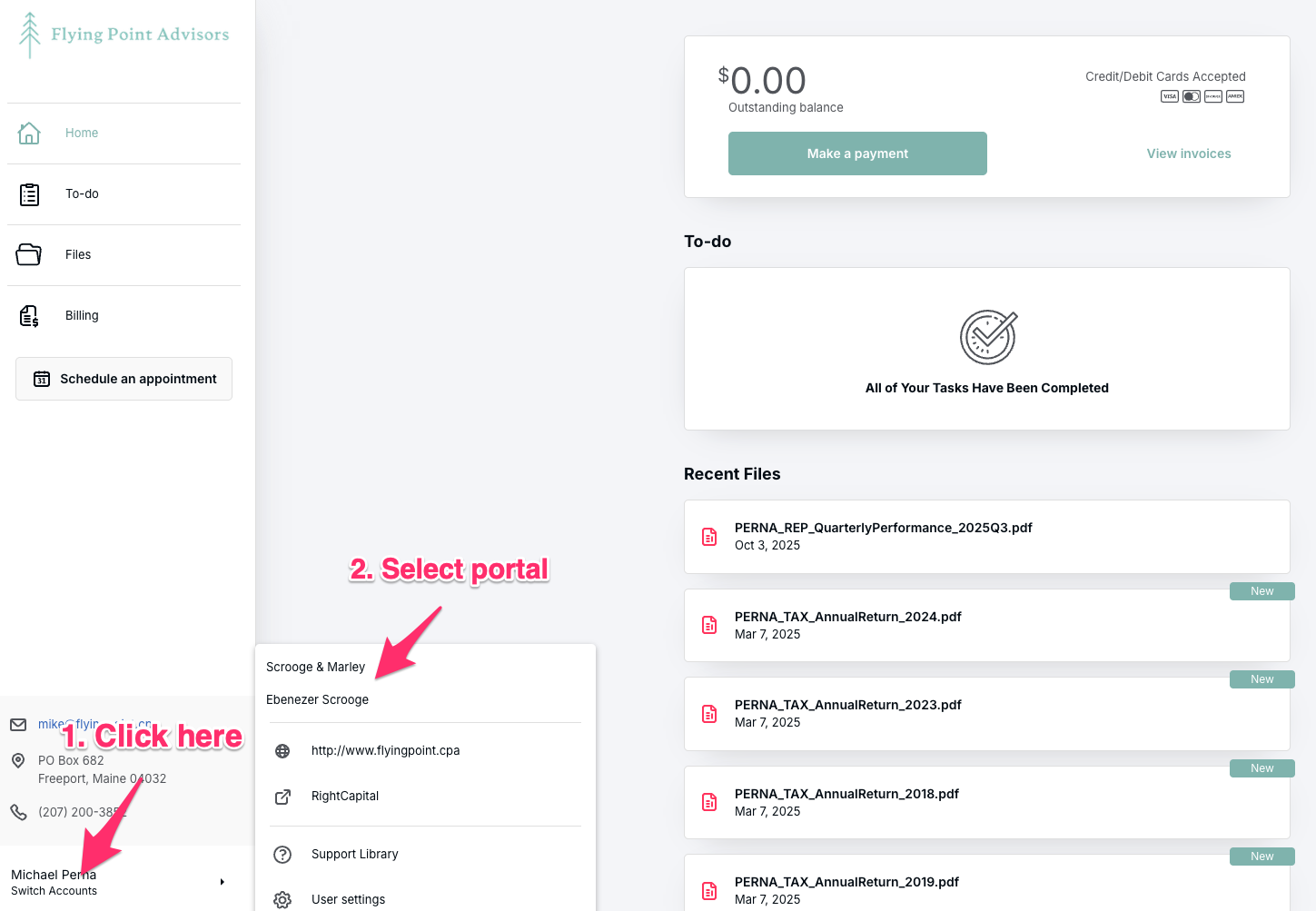
Click on your name in the bottom left corner of the screen
Select the portal you need from the dropdown menu
Each portal contains the documents and tasks specific to that entity:
Engagement letters
Tax organizers
Invoices
To-do items
Uploaded documents
For example, if you're looking for your business tax return engagement letter, switch to your business portal. Once you're in the correct portal, engagement letters will appear in the "To-do" section.
Still can't find what you're looking for? Email me at mike@flyingpoint.cpa and I'll point you in the right direction.